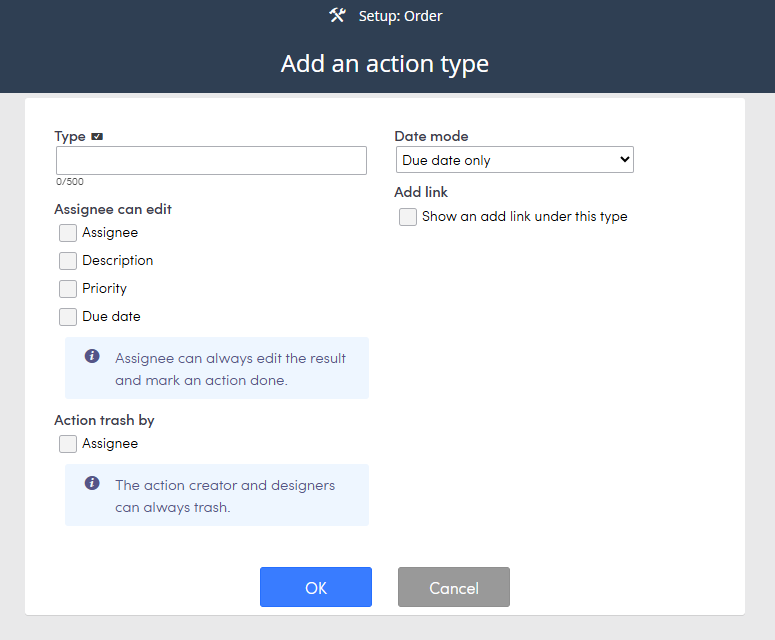
You can create action types which allow you to set conditions such as who can edit or trash the action. If you add an action and select a type the conditions will apply that are setup.
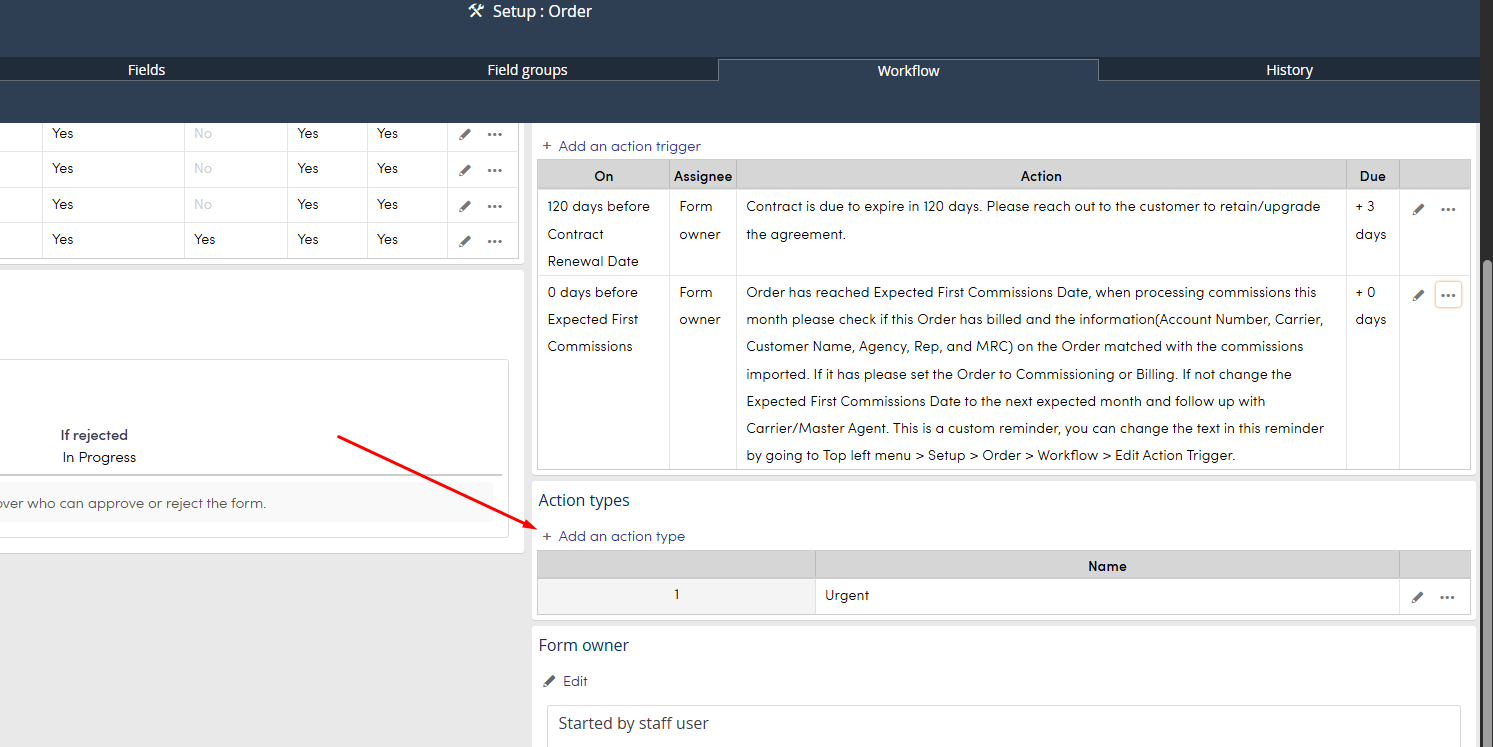
Top menu >> Setup >> Select process >> Workflow tab
Click + Add an action type
Type: Name the action type.
Date mode: select one of the date mode options. You can set Start and completed dates on the action to track progress.
Assignee can edit: select what the assignee is allowed to edit.
Action trash by: select if the assignee is allowed to trash the action.