
Granting temporary access will allow a RPM Support to login to your subscription as you. This is solely for troubleshooting purpose. You will not need to provide your password or log out while support is logged in as you.
To grant temporary access follow these steps.
In the top right corner by your name click Help.

Click Grant temporary access.
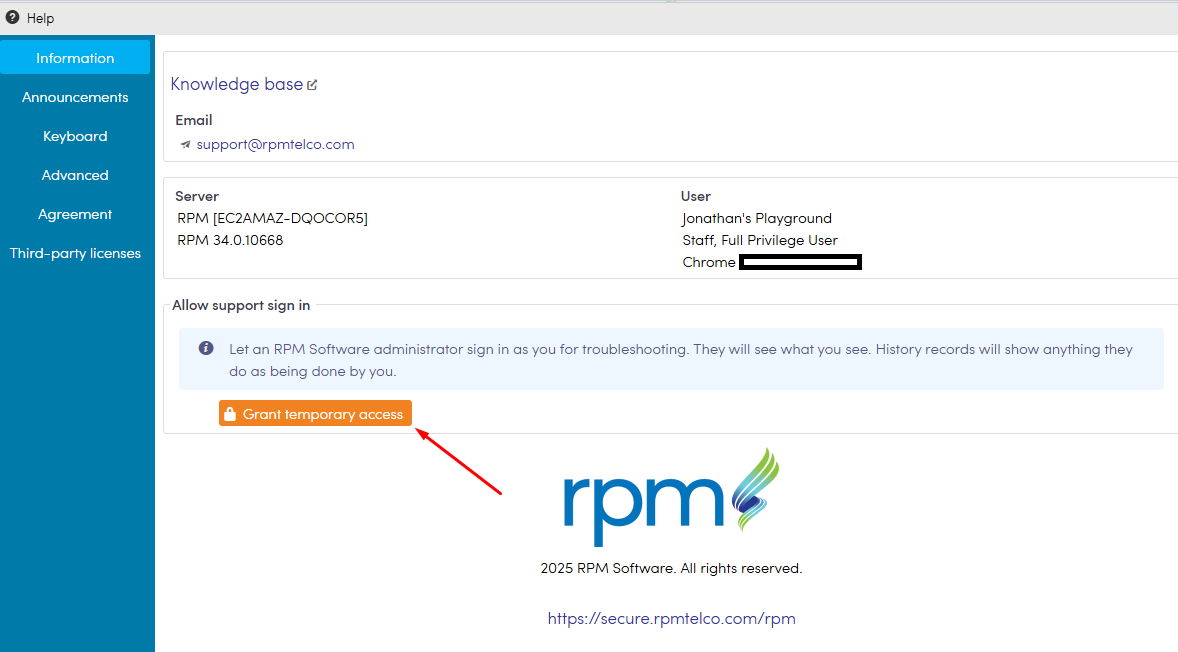
Admin access has now been granted.
The software administrator has one opportunity to use this access after which it will be be automatically revoked. You are able to manually revoke access, by going back into the help menu and clicking Revoke access now

The temporary access has now been revoked.