
Formula Field for Future Date Calculation
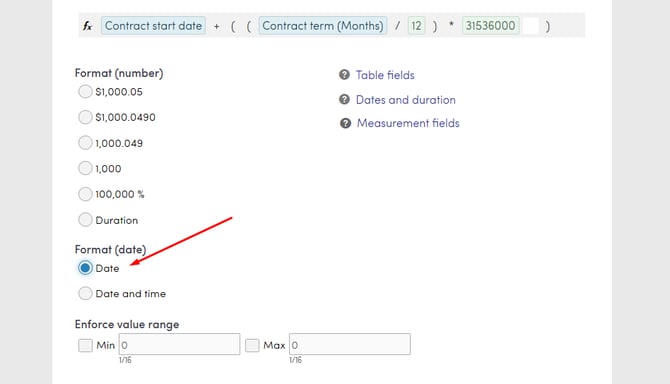
To calculate a future contract end date in RPM, add a Date field and a Quantity field to your process, then create a Formula field using the expression: Date field + ((Quantity field / 12) * 31536000). Ensure the Formula field format is set to Date before saving.

Key Rules & Prerequisites
The formula field calculates a future date by taking a starting point and adding a specific number of months converted into seconds. This configuration is primarily used to determine contract end dates based on the order term length.
- Date field: Represents the contract start date.
- Quantity field: Indicates the length of the contract term in months.
- Formula field: Combines the start date and duration to output the final end-of-term date.
- Date calculations: Date and time fields are brought into the formula as the number of seconds since midnight of Jan 1, 1970 to act as a constant for the calculation.
Leap Year Constraint: If a leap year occurs during the contract term, the end date calculated by the formula will be short by exactly one day.
Navigation Path
Top Menu >> Setup >> Select process >> Fields
Configuration Steps
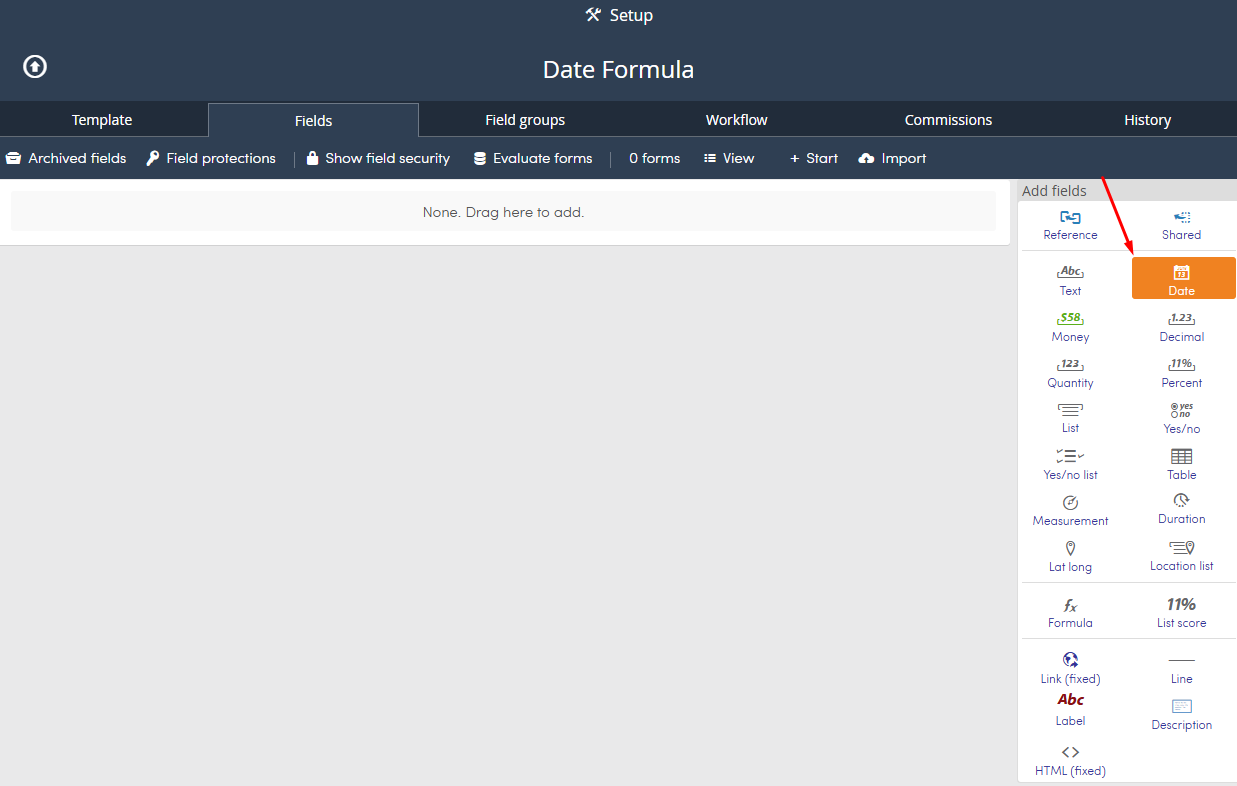
- Add a Date field to capture the contract start date.
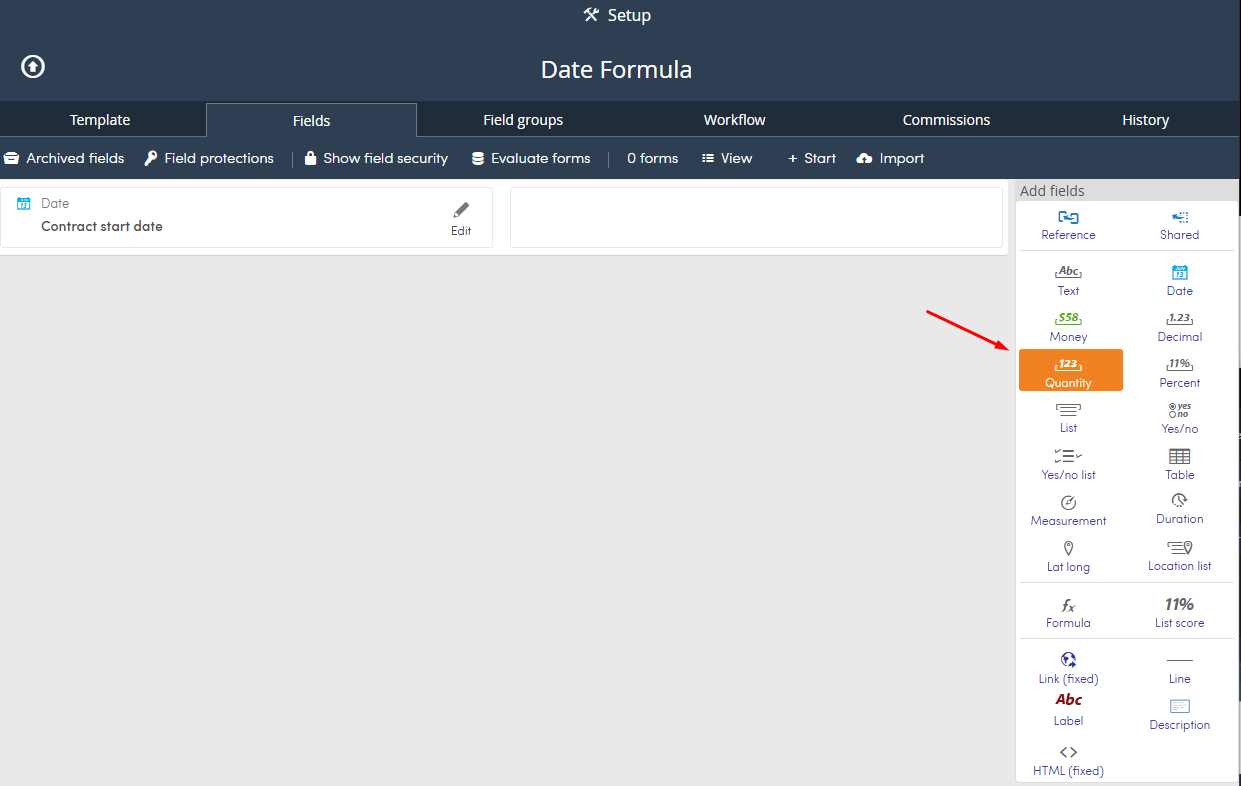
- Add a Quantity field to input the contract length in months.
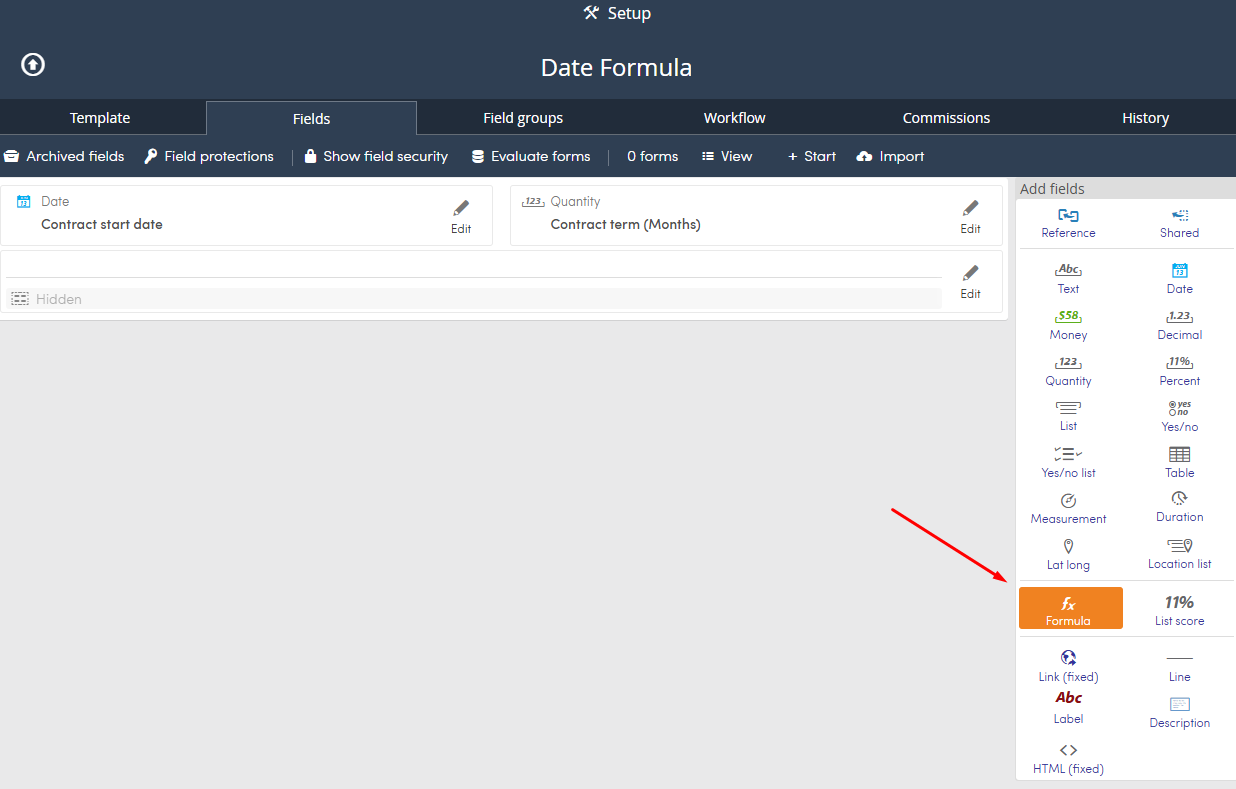
- Add a Formula field.
- Enter the calculation string into the formula box:
Date field + ((Quantity field / 12) * 31536000).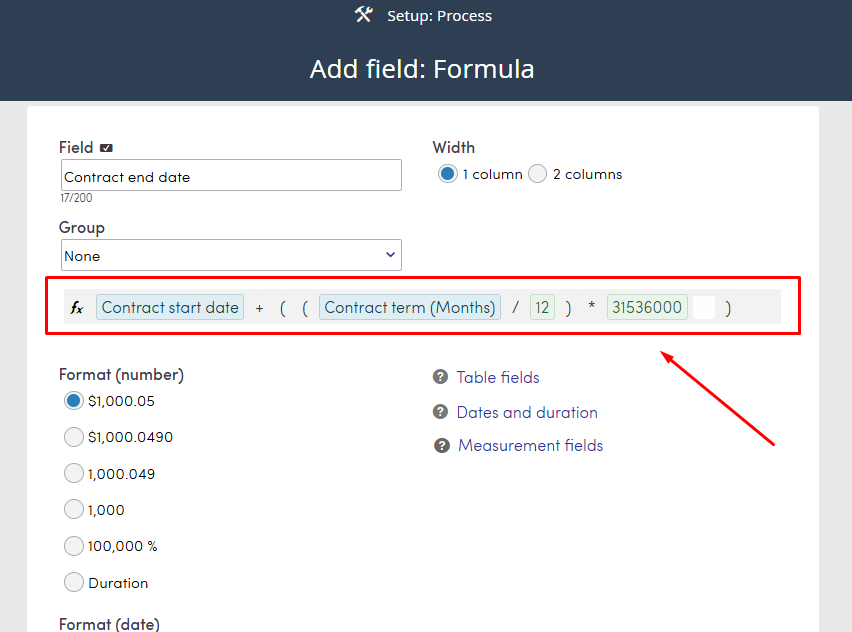
- Select Date as the Format menu.
- Click Finish to save the field.