
Initial Connection
Once you have a subscription to the Data Warehouse ("DW"), you will be provided with endpoint information and user credentials from RPM. Using a SQL client, you should test that you can connect to your DW.
Any of the following SQL clients will work:
- DBeaver
- My SQL Workbench
- HeidiSQL
- DataGrip
- Visual Studio - through Redshift extension
Ensure you recieved the following information from RPM:
- Your Data Warehouse Username and Password
- Endpoint URLs: Typically you will just need the URL data.rpmtelco.com portion of the URL.
- Server URL
- Database Name
- Port: 5439
Testing Connection Using DBeaver
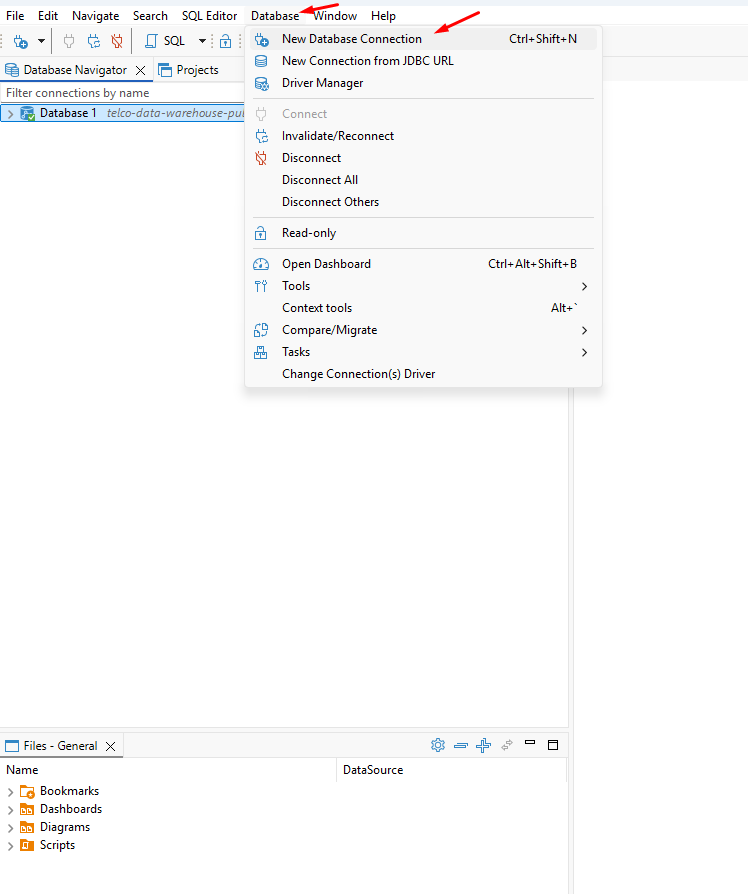
Open DBeaver >> Database >> New Database Connection
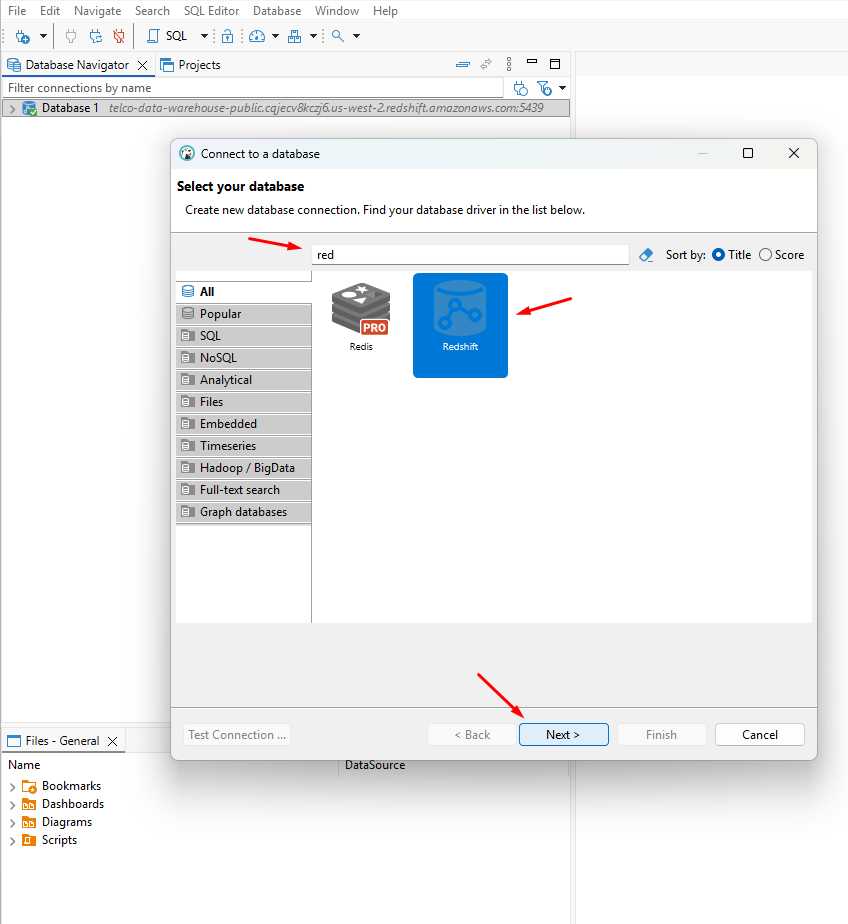
Ensure that you the search criteria in the left pane is set to All. Search for Redshift >> click icon >> Next.
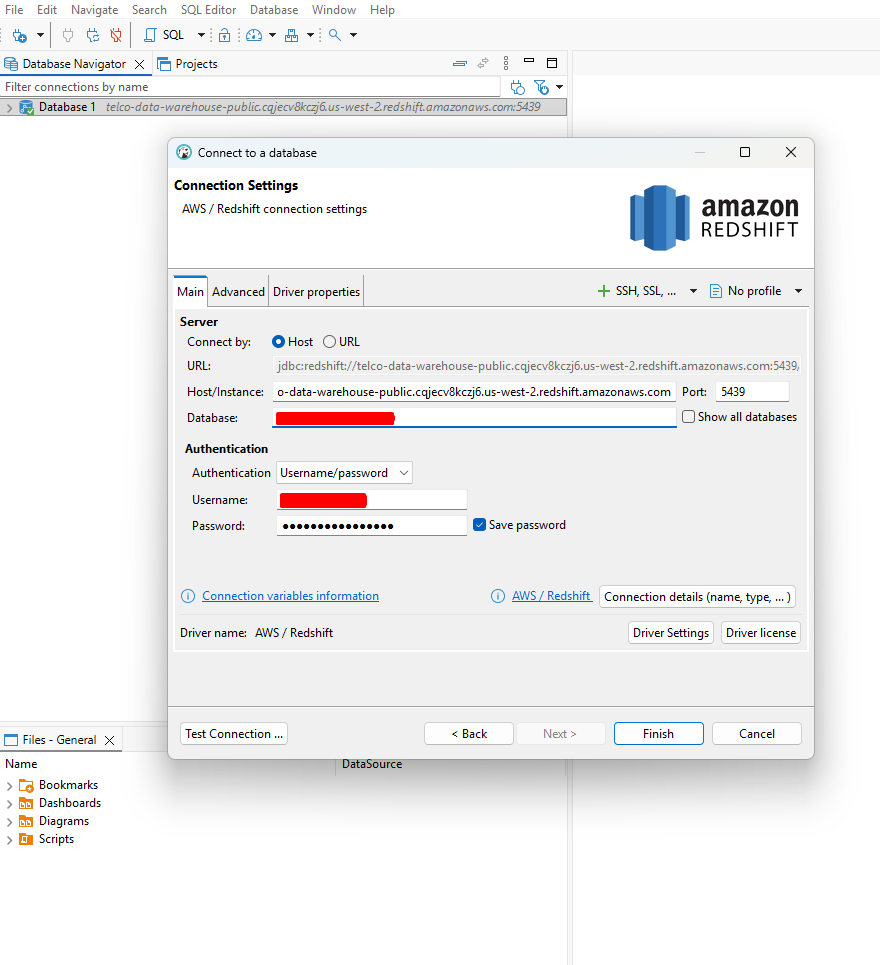
Enter the following information using what was provided to you from RPM >> click Finish.
- Host/Instance:
- TLS URL: [RPM provided URL] - You will only need to input the URL up until the .com portion. Anything past the .com should be left off the Host/Instance.
- Example: telco-data-warehouse-example.s2314j1l23.us.dasda.amazon.com (Good)
- Example: telco-data-warehouse-example.s2314j1l23.us.dasda.amazon.com:5439/DB (Bad)
- TLS URL: [RPM provided URL] - You will only need to input the URL up until the .com portion. Anything past the .com should be left off the Host/Instance.
-
- NonTLS URL: data.rpmtelco.com (not recommended)
- Port: 5439
- Database: [Your Database Name]
- Authentication: Username/password
- Username: [RPM provided username]
- Password: [RPM provided password]
Note: RPM will provide both a TLS Hostname and a non-TLS Hostname. It is highly recommended when connecting to use the TLS Hostname. This is to grant extra protection and security. Connecting via TLS ensures authentication and encrypts your traffic to the server, protecting sensitive data from third-party interception.
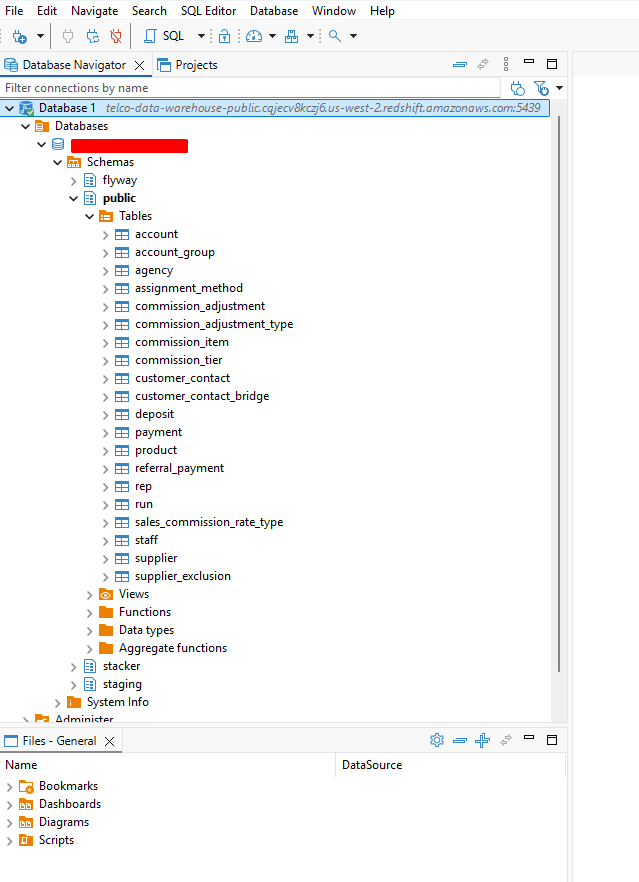
If you have the correct information and credentials entered you will connect to the DW. The folder structure will guide you to the Tables. Everything you need will be in public.
Congratulations! You're connected to the DW. We strongly recommend changing your password.