
Add Agency Participant (mass)
Add agency participant en masse assigns enabled agent users to all process forms where they satisfy requirements. Use this utility to look through an entire process and automatically add enabled agency users as a participant on forms where they are tagged via an agency or rep reference field.
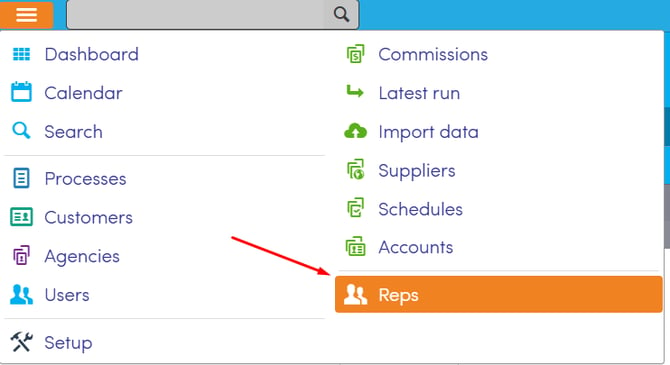
- Navigation Path: Top menu >> Reps
- Requirements: Only enabled Agency users can be a participant on process forms.
- Primary Use Case: Run this tool when you enable an agent user after tagging or creating multiple forms under that specific agency user.
- Validation: The system determines cross-entity associations and calculates exactly how many forms and participants require update placement before concluding the process.
Before You Begin
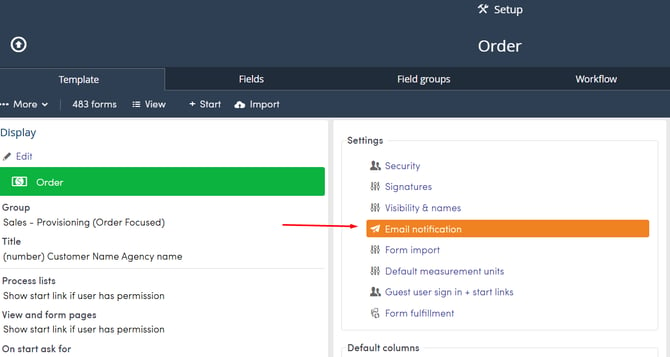
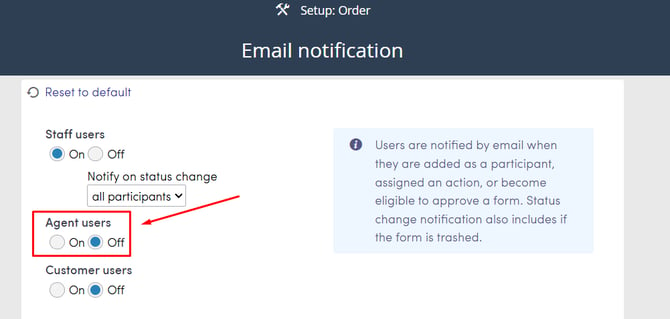
We recommend temporarily turning off email notifications before you add agency participants to prevent mass email notifications being sent out to your agency users.
From the Top Menu >> Setup >> Select your Process >> Select Email notification.
Set Agent users to Off.
Steps to Mass Add Agency Participants
- Navigate to the Reps page from the top menu.
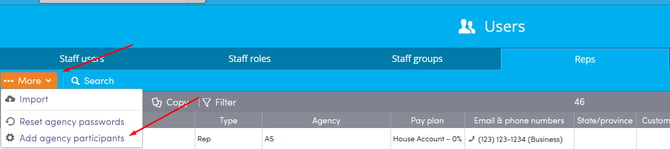
- Click More and select Add agency participants.
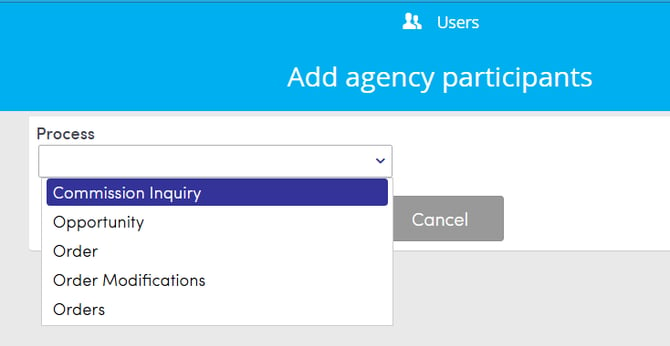
- Select the target Process from the dropdown list.
- Click Start.
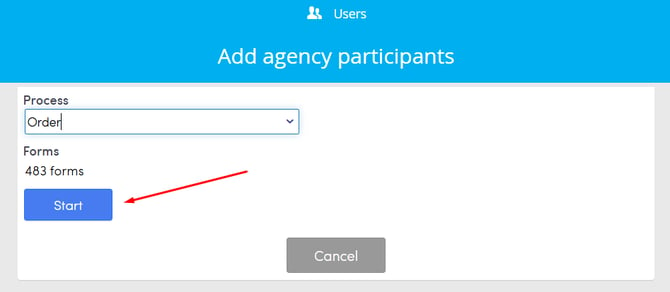
- Review the calculated count of forms and participants being added.
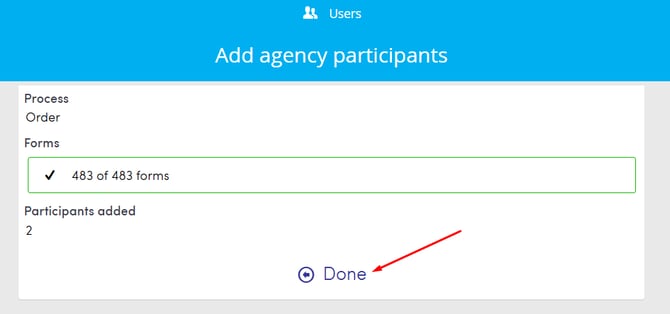
Once you are done, remember to turn email notifications back on so that your agency users can receive email notifications when they are added as a participant to a form going forward.