
Add a Supplier in RPM
A Supplier tracks incoming commissions from the underlying carriers. Create each new Supplier in RPM before importing commission data for that Supplier. Access the feature at Top menu >> Supplier >> +Add a supplier.
Watch the 1-minute video on adding a Supplier.
What the Add a Supplier Feature Does
- Creates a Supplier to track incoming commissions from an underlying carrier
- Creates a Supplier from a preset list that includes the Supplier logo
- Creates a blank Supplier with a custom or default logo
Add Supplier Options
RPM provides two options when adding a Supplier:
- Preset list: Select a Supplier from the drop down list. Each Supplier on the list includes a logo. Type in the drop down box to search for a specific Supplier.
- Add a blank supplier: Create a Supplier that is not on the preset list. This option sets the logo to the subscription logo.
Steps to Add a Supplier From the Preset List
- Go to Top menu >> Supplier.
- Click +Add a supplier.

- Select the Supplier from the drop down list. Type in the drop down box to search for the Supplier.

- Click OK.
Steps to Add a Blank Supplier
Use this option if the Supplier is not in the drop down list.
- Go to Top menu >> Supplier.
- Click +Add a supplier.
- Click Add a blank supplier.

- Enter the name of the Supplier.
- Click Logo at the top of the page to use a logo other than the default logo. If the default logo is acceptable, go to step 9.

- Click Browse.

- Locate the saved PNG logo file on the computer. The logo must be in PNG format.
- Click OK to update the logo. RPM returns to the blank Supplier page.
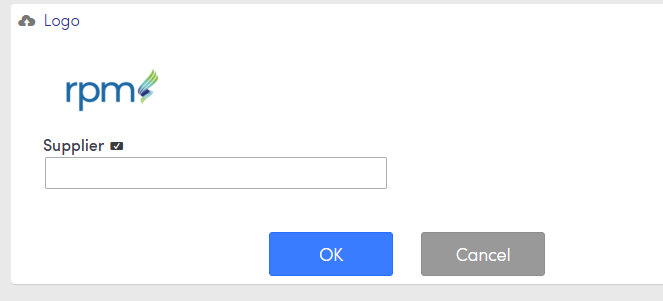
- Verify that the logo is correct.
- Click OK.
Summary
Create a Supplier before importing commission data for the Supplier. Go to Top menu >> Supplier, click +Add a supplier, and either select the Supplier from the preset list or click Add a blank supplier. For a blank Supplier, enter the name, optionally upload a PNG logo, and click OK.